


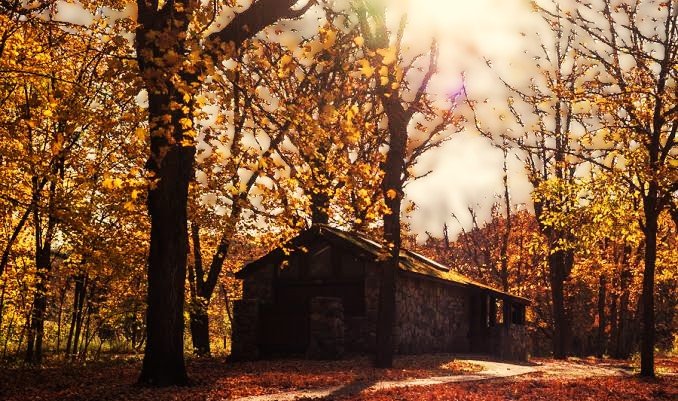
Minnesota has 66 state parks, and honestly, the competition for good campsites gets fierce fast — especially once summer hits. If you’ve ever tried to snag a weekend spot at Itasca or Gooseberry Falls and found everything already gone, you know exactly what I mean. The good news is that the reservation system is pretty straightforward once you know how it works, and a little early planning goes a long way.
Understanding the MN State Park Reservations System
The Basics of the Reservation System
The system covers everything from standard campgrounds and electric hookup sites to cabins and group areas across the full network of Minnesota’s state parks. Summer camping, winter cabin weekends, day-use permits — it all runs through the same platform.
One of the most useful starting points is the Park Reservations Map, which gives you a bird’s-eye view of every park and what each one actually offers. It’s worth spending a few minutes with it before you commit to anything, because parks vary a lot in what’s available — some have full-service cabins, others are tent-only, and a few have group facilities that most people don’t even know about.
Booking Your Stay
The online portal is your fastest option. Plug in your dates and a general location, and it surfaces what’s open. If you’d rather talk to a real person — and sometimes that’s genuinely the better move, especially if your situation is a little complicated — the MN State Park Reservations phone number connects you with someone who can walk you through options and help troubleshoot.
Here’s the thing about peak season: demand spikes hard. Popular parks can fill up weeks or even months out, so waiting until the week before is a gamble. Book early.
Tips for a Better Experience
- Plan ahead: You can reserve up to a year in advance. For popular parks and holiday weekends, use that window.
- Stay informed: Park policies — especially around fees and cancellations — do change, so it’s worth double-checking before your trip.
- Use the phone line when you’re stuck: The online system is convenient, but if something’s unclear or you need a specific accommodation, a quick call saves a lot of back-and-forth.
How to Use the Park Reservations Map for Better Planning
Understanding the MN State Park Reservations Map
The map does more than just show you where parks are located. It’s an interactive tool that lets you filter by amenities — hiking trails, fishing access, swimming beaches, specific campsite types — so you’re not just picking a park by name and hoping for the best. Click around on it and you’ll start to see which parks are genuinely a fit for what you want to do.
Strategic Planning with the Map
Think of the MN State Park Reservations camping map as your planning dashboard, not just a pretty picture. You can cross-reference availability with your dates directly, which is a huge time-saver. If your first-choice park is booked solid for the weekend you want, the map makes it easy to spot alternatives nearby without starting from scratch. For summer trips and holiday weekends especially, checking the map early — and often — pays off.
Contact and Support
If the map is giving you trouble or something just isn’t clicking, don’t sit there frustrated. The Park Reservations phone number has actual staff who handle these questions all day and can get you sorted quickly, whether you’re trying to book a specific site or just trying to figure out what a park’s facilities actually look like on the ground.
Step-by-Step Guide to MN State Park Reservations Camping
Understand the Reservation System
Before anything else, pull up the MN State Park Reservations map and spend a few minutes getting oriented. Look at the park you’re eyeing — check the campsite types, note any restrictions, and make sure the amenities match what you actually need. Some sites have fire rings and water access nearby; others are more primitive. Worth knowing before you show up.
Making the Reservation
- Visit the official website: Head to the DNR’s reservation portal and start there. You can browse availability by date and location without even creating an account first.
- Select your dates and campsite: Use the search tool to find open sites. Pay attention to capacity limits and what’s included — electric hookups, for instance, aren’t everywhere.
- Create an account: You’ll need one to actually complete a booking. It also lets you track your reservations and get updates if anything changes.
- Complete your reservation: Follow the prompts through to payment. Once it’s confirmed, save or print the confirmation — you’ll want it at check-in.
Booking via Phone
Prefer to do it over the phone? Totally reasonable. Calling the MN State Park Reservations phone number works well if you have specific questions about a site before committing, or if you just find the online system a bit clunky. Either way, the earlier you book, the better your options.
What You Need to Know About MN State Park Reservations 2022
Key Information for Planning
One of the most important things to know: you can book up to 120 days in advance. For high-demand parks — Itasca, Gooseberry Falls, Tettegouche — that window matters. If you’re planning a summer trip or a holiday weekend, mark your calendar for exactly 120 days out and be ready to book that morning.
Understanding the Reservation Map
The MN state park reservations map is genuinely one of the better planning tools in the system. It shows campsite availability, trail access, and facility details all in one place, which makes it a lot easier to compare options side by side rather than clicking in and out of individual park pages.
Booking and Contact Information
If you’re not sure what a park offers or need help with something specific, the MN state park reservations phone number is worth a call. The staff are helpful and can flag things you might not catch on the website — like whether a particular site is shaded, or whether a cabin has a minimum stay requirement. Good info to have before you lock anything in.
MN State Park Reservations Phone Number and Contact Information
Contacting MN State Parks for Reservations
The direct line to reach a reservation specialist is 1-888-MINNDNR (1-888-646-6367). They can help with everything from checking availability and making a new booking to modifying an existing reservation or answering questions about specific parks. Worth saving the number in your phone before your trip.
Additional Contact Methods
Beyond calling, the Minnesota DNR’s website has both the Park reservations map and a full online booking system you can access any time. If you’d rather put something in writing, the DNR also has an online contact form and accepts email — response times are generally reasonable, though for time-sensitive stuff, the phone is faster.
The short version: there are multiple ways in, and none of them are particularly painful once you know where to look.
FAQs
What Is the Best Way to Make MN State Park Reservations?
Online is the most convenient for most people the Park reservations map built into the portal makes it easy to browse and compare sites before booking. That said, if you have specific questions or want to talk through options, calling the MN State Park reservations phone number is a solid alternative. Especially for first-timers, a five-minute phone call can clear up a lot of confusion.
Can I Reserve a Campsite for the 2022 Season?
Yes — and the sooner you move on it, the better. Park reservations camping spots for popular parks fill up fast, sometimes months in advance. Check availability regularly, because cancellations do open things up, and the booking window can shift depending on the park and the time of year.
How Do I Cancel or Modify My Reservation?
Log into the online portal and manage the reservation from there, or call the phone number if you’d rather do it that way. Either works. Just pay attention to the cancellation policy before you make any changes — some bookings have fees depending on how close to the arrival date you cancel. And whatever you change, get it confirmed in writing so there’s no confusion later.

